Hard limits and writing guidance are not the same
A title can fit under 140 characters and still be hard to read. Etsy's April 2026 guidance recommends stating the item clearly, putting objective traits early, avoiding repetition and subjective filler, and considering a title under roughly 15 words.
The tool treats 140 characters as a hard field check and counts the words for guidance. That count cannot tell whether you named the item clearly, chose the right traits, repeated a phrase, or used subjective filler, so read the title yourself after the rule check.
Tag syntax does not prove keyword quality
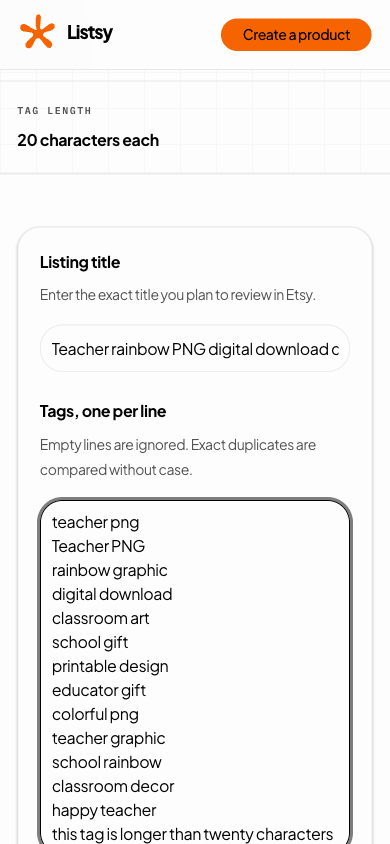
Etsy permits up to 13 tags with a maximum of 20 characters per tag. Relevant multi-word phrases can help Etsy match a listing with shopper queries, but count and character checks do not show demand.
The validator flags duplicates and basic character problems because those waste space or can fail form rules. You still choose phrases that accurately describe the product and the buyer's intent.
- Use one tag per line in the tool.
- Keep each tag specific to the actual product.
- Avoid repeating the same phrase with only word order changed.
- Use the most specific relevant category and attributes in Etsy too.
Use the findings to edit, not to chase a score
This fictional example shows how to make a title easier to scan. It is a formatting example, not keyword research, and the suggested tags are not demand claims.
| Field | Before | After |
|---|---|---|
| Title | Teacher Rainbow PNG, Teacher Shirt Design, Classroom Gift, Cute Teacher Digital Download, Back to School | Retro Rainbow Teacher PNG, 3000px Transparent Digital Download |
| Tags | teacher png, Teacher PNG, cute teacher gift, teacher png | teacher png, retro rainbow, school graphic, digital download |
| What changed | Repeated item words and exact duplicate tags | One clear item name, objective file detail, and distinct tag phrases |
Finish with a product truth check
A valid title and tag set can still describe the wrong product. Compare the wording with the buyer ZIP, listing images, category, attributes, and description before publishing.
Listsy's listing-copy workflow checks field limits and blocks unsupported file claims. It does not replace keyword research or the seller's judgment.
Before you rely on the result
Sources checked
Policy and marketplace details can change. These are the pages used for this review. Check Etsy directly before making a listing decision.